After purchasing, add vyn premium to your TradingView account. If you don't have TradingView, here's your $15 Referral Discount Code:
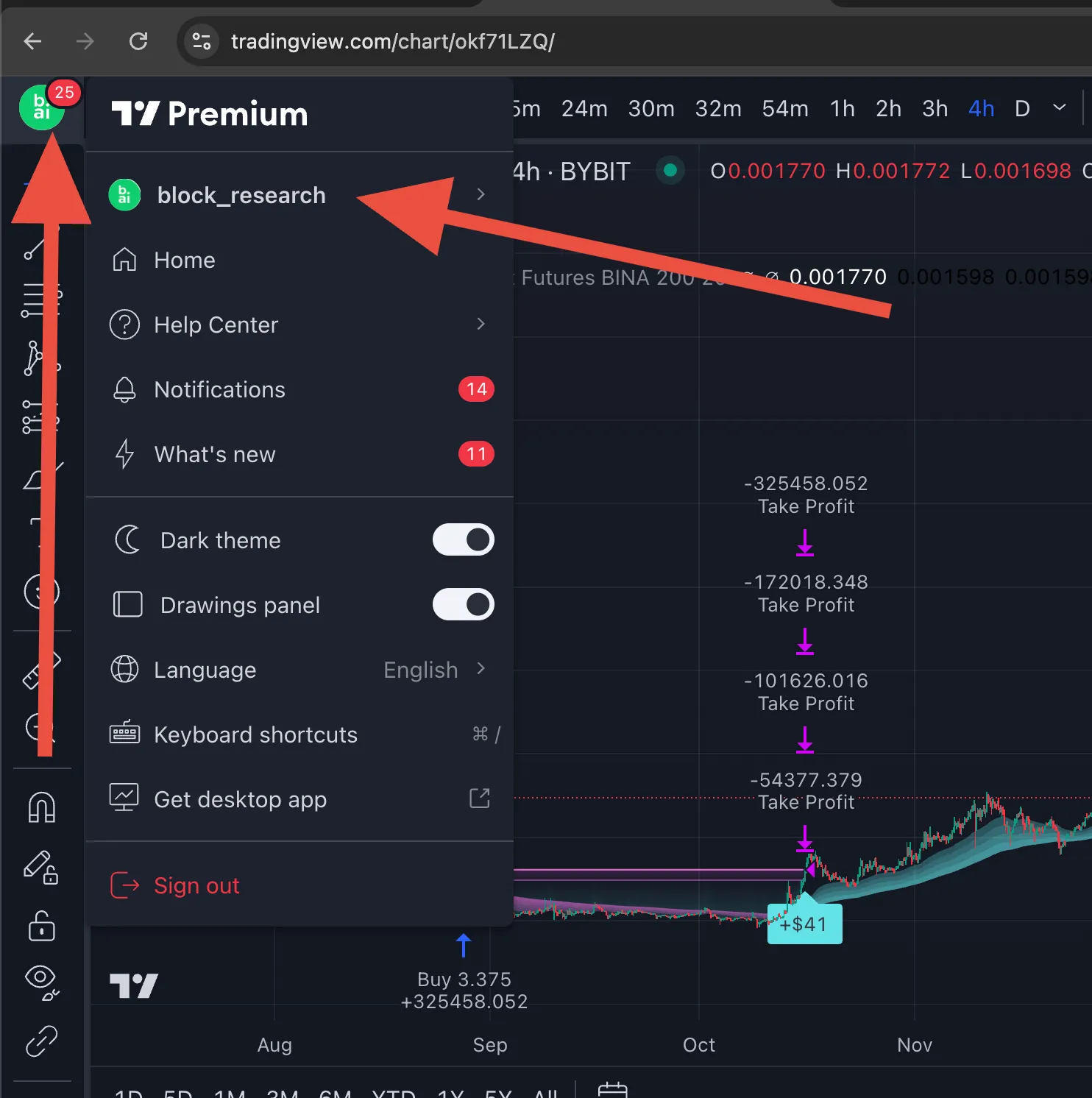
https://www.tradingview.com/?aff_id=123520Get your TradingView name from here:
Enter it into the Dashboard of our web app at:
https://app.blockresearch.ai/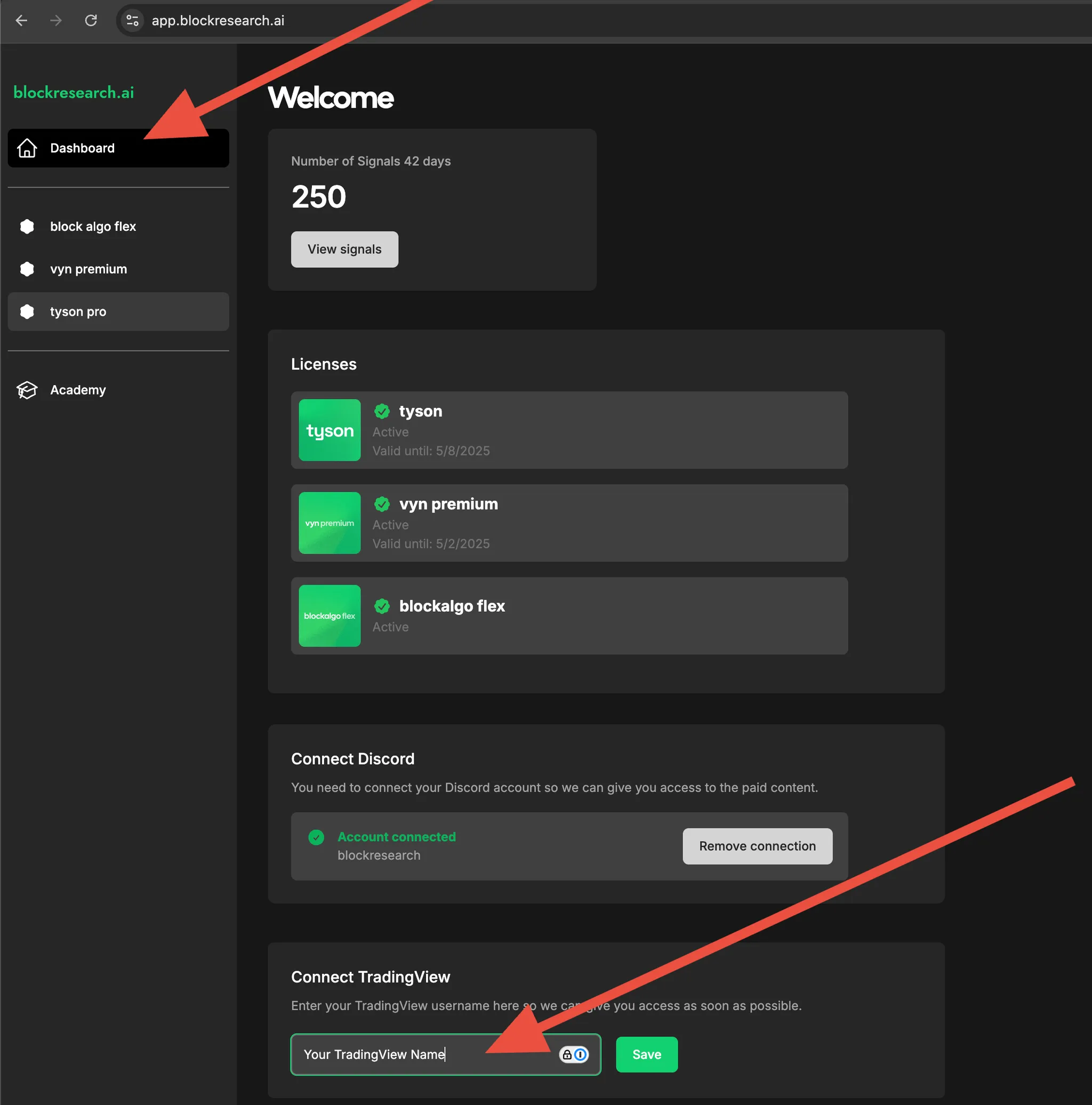
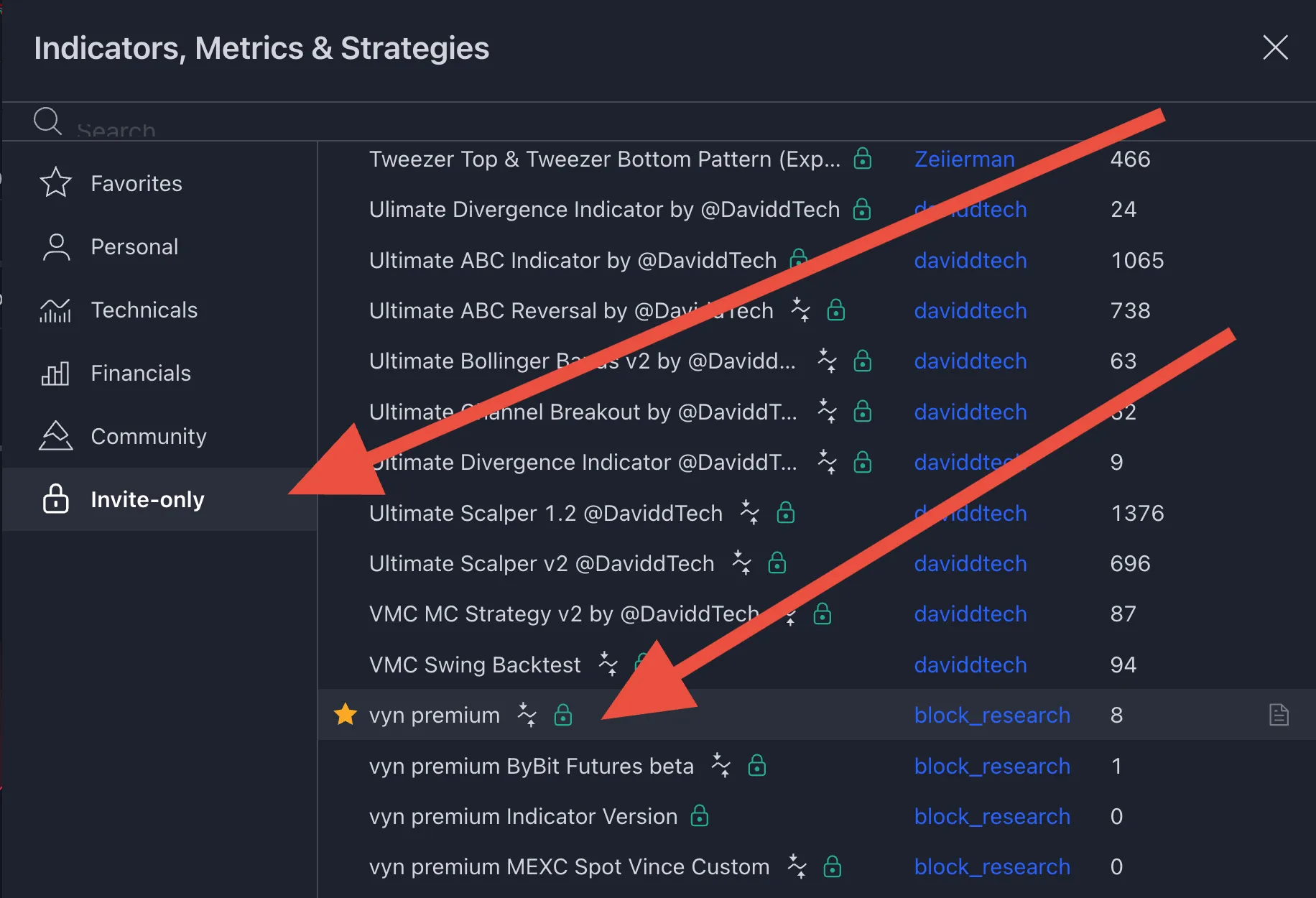
Refresh your TradingView browser page and navigate to the invite-only scripts section. Click once on "vyn premium".
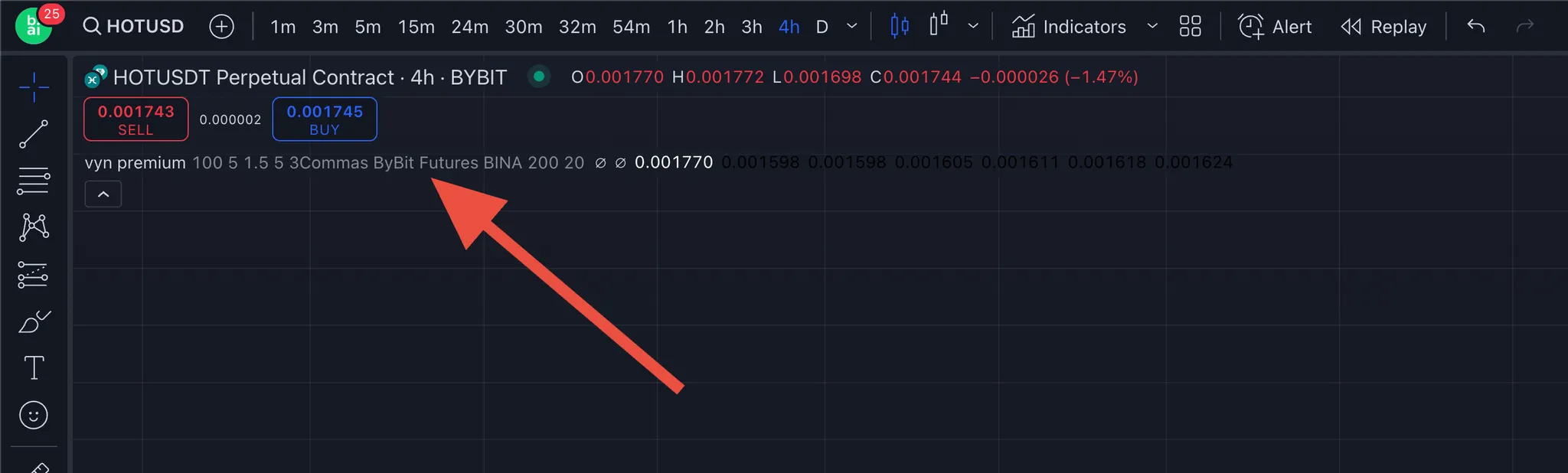
You should now see "vyn premium" displayed on your TradingView superchart.